

Every credit union CRM conversation starts in the same place: the platform debate. HubSpot or Salesforce. Salesforce or a financial-services-specific tool. A purpose-built credit union platform or a configurable general one. Which one has the best native integrations? Which one do peer institutions use?
It's the wrong conversation to be having first.
Platform selection matters, but it's not what determines whether a CRM migration succeeds. What determines it is the state of your data before it moves, the clarity of your governance decisions before anyone is trained, and the completeness of your integration architecture before configuration begins. Get those things right, and almost any capable platform will work. Get them wrong, and the best platform on the market won't save you.
This checklist isn't about which CRM to choose. It's about what your institution needs to resolve, audit, and decide before your implementation partner touches anything: the work that separates migrations that deliver on their promise from ones that quietly underdeliver for years before anyone admits it.
Before a credit union CRM migration begins, nine decisions determine whether it succeeds. This CRM migration checklist for financial services institutions covers the data, governance, and integration work that happens before your implementation partner touches anything: a full data audit, a defined member data model, a scoped core banking integration, resolved record ownership rules, a documented workflow inventory, early compliance involvement, a sample migration test, pre-defined success metrics, and a partner with financial services implementation experience. The platform you choose matters less than whether these are resolved before configuration starts.
There are nine items. None of them is glamorous. All of them matter more than the platform decision.
Why Credit Unions Face Unique CRM Migration Challenges
Credit union CRM migration is a different problem than CRM migration for most other organizations. Here's why that matters before you get into the checklist.
Credit unions hold member relationships, not just customer records. A single member may be the primary account holder on a joint checking account, a co-borrower on a home equity loan, a parent on a youth savings account, and a sole proprietor with a small business membership, all at the same institution. That's not one record. It's a web of relationships that most CRM platforms weren't designed to represent by default.
Regulatory obligations add another layer of complexity. Credit unions operate under BSA requirements, NCUA examination standards, and a patchwork of state-level financial privacy regulations that make data handling a compliance matter, not just an operational one. How member data is stored, what can be used for marketing, how consent is tracked, and how opt-outs propagate across systems are not discretionary design decisions. They have the right answers, and those answers need to be built into the CRM architecture.
Finally, most credit unions aren't implementing a CRM for the first time; they're migrating from something. A legacy platform that was never properly configured. A collection of disconnected tools that different teams adopted independently. A CRM that was set up for a different kind of organization and retrofitted for financial services use. That means the migration is always also a data cleanup project, whether or not it's been scoped as one.
These are the reasons the nine items below matter. They're not generic CRM migration best practices. They're the specific pressure points where credit union migrations break down.
CRM Migration Must-Dos (Before Configuration Starts)
Must-Do #1: Audit Your Existing Data Before You Touch Anything
Run a full audit of your current member database before your migration project begins. Identify duplicate records, incomplete fields, inconsistent formatting, and outdated consent data. Whatever exists in your current system will migrate into your new one unless you clean it first.
This is the item most credit unions skip, and the one whose absence causes the most damage.
The instinct is understandable. The existing system is being replaced precisely because it isn't working well. Why spend time auditing data in a system you're leaving? The answer is that the data doesn't leave when the system does. It follows you into the new platform, and if it arrives dirty, it corrupts the clean environment you just spent months building. To see what clean member data makes possible, check out this blog post.
What to look for in a pre-migration data audit:
Duplicate member records. The same member entered under slightly different names, different email addresses, or different branch-assigned IDs. These need to be merged before migration, not after; post-migration deduplication is significantly more complex.
Incomplete required fields. Records missing email addresses, phone numbers, or consent status will cause problems in the new system's required field logic.
Inconsistent field usage. Fields that different branches or teams have used for different purposes — a classic example is a "notes" field that some branches use for compliance flags, and others use for general communication history.
Outdated opt-out and consent records. Consent data that hasn't been updated in years, or opt-outs that exist in one system but not another, represent both a compliance risk and a deliverability risk.
Orphaned records. Contacts with no associated accounts, no engagement history, and no clear origin are often the residue of a previous data import that was never cleaned up.
The output of this audit isn't just a list of problems. It's a prioritized remediation plan that your implementation partner can use to scope the migration accurately. Skipping the audit doesn't eliminate these problems; it just ensures you'll encounter them at the worst possible time.
Must-Do #2: Define What a "Member" Means in Your New CRM
Before migration, decide how member relationships will be structured: households, joint account holders, business members with personal accounts, and minors on family accounts. If this isn't defined before migration, you'll either flatten relationships you need or create structural problems that are expensive to fix post-launch.
This is the data model question, and it's the one that most distinguishes credit union CRM migration from a standard B2B CRM implementation.

In a typical business CRM, the fundamental relationship is contact-to-company. It's relatively simple. In a credit union, the equivalent question, who is the primary record, and how do associated relationships attach to it, has no default answer. It depends on how your institution defines membership, how you structure households, and how you want relationship managers or branch staff to navigate member accounts.
The decisions that need to be made before migration:
Primary record definition. Is the primary CRM record an individual member, a household, or a membership account? Each has implications for how data is displayed, how campaigns are targeted, and how reports are structured.
Household modeling. How are household relationships represented? A joint account holder is not the same as a household member, but in many credit unions, the distinction matters for both marketing and compliance purposes.
Business membership. A sole proprietor with both a personal and business membership is one person with two distinct relationship types. How does that get represented in a single CRM record, or does it require two?
Minor accounts. Youth savings accounts and custodial accounts involve members who may not be contactable directly. How are those records structured, and what marketing rules apply to them?
None of these questions has a universal right answer. They have answers that are right for your institution, and those answers need to be documented and agreed upon before a single record is mapped for migration.
Must-Do #3: Scope Your CRM Integration with Your Core Banking System Before Configuration Begins
Before selecting or configuring a CRM, define how it will connect to your core banking platform. Determine what data lives in each system, what syncs bidirectionally, and who resolves conflicts when records don't match. Integration scoped after go-live is one of the most expensive mistakes in financial services CRM implementation.
For most credit unions, the CRM doesn't hold the authoritative record for member data. The core banking system does. Account balances, transaction history, product relationships, and membership status live in the core. The CRM holds marketing interactions, contact preferences, lifecycle stages, and engagement history.
Those two systems have to talk to each other, and the design of that conversation has to happen before CRM configuration begins. For a closer look at what HubSpot can and can't do natively in financial services, and what a scoped CRM-to-fintech integration looks like in practice, those resources are worth reviewing before you scope this step.
The integration decisions that must be scoped upfront:
What data lives where? The core banking system is the source of truth for account data. The CRM is the source of truth for marketing and engagement data. The integration design needs to define this explicitly, including which fields are read-only in the CRM (populated from the core and not editable by marketing teams) and which fields the CRM owns.
Sync scope and direction. Not everything in the core should sync to the CRM. A full member transaction history in your marketing platform creates data bloat, performance problems, and unnecessary compliance exposure. Define the minimum necessary data set, typically account type, product relationships, membership status, and key lifecycle indicators, and sync only that.
Conflict resolution. When a member updates their address in the CRM and a different address comes in from the core, which one wins? This isn't a hypothetical. It happens constantly in live systems, and without a defined rule, your data quality degrades every time it does.
Sync frequency. Real-time sync is technically possible but not always necessary or advisable. Batch sync (nightly or weekly) is sufficient for most marketing use cases and puts less load on both systems. Define the frequency based on actual operational need, not on what's technically possible.
The specific integration approach will vary depending on whether you're using a native connector, a middleware platform, or a custom API integration, but the decisions above are the same regardless of the technical approach. They have to be made before configuration begins.
Must-Do #4: Resolve Record Ownership Before Migrating a Single Contact
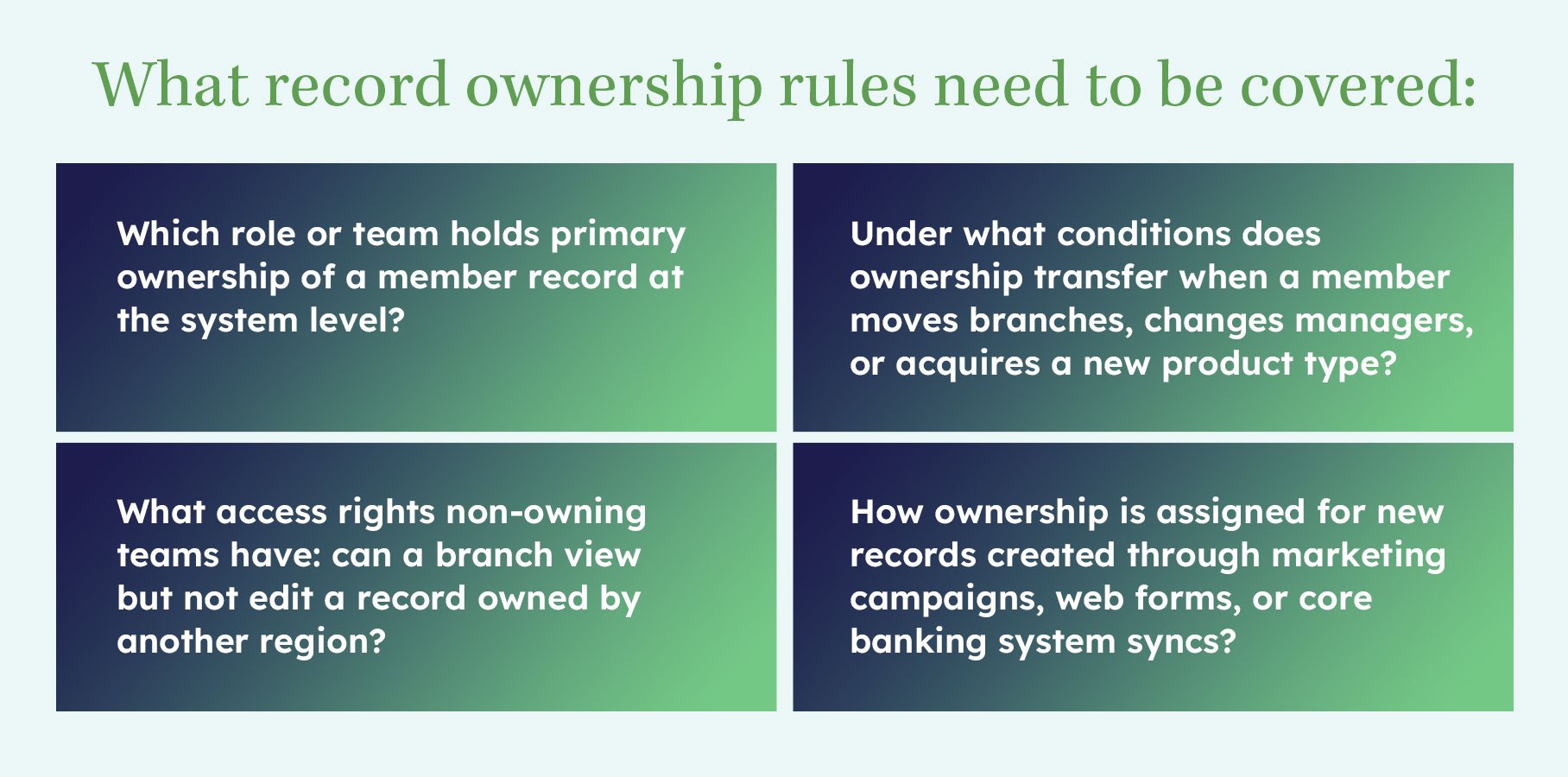
Define who owns a member record before the migration: by branch, by relationship manager, or by another institutional rule. Ownership conflicts between branches or teams are the leading driver of CRM abandonment at financial institutions, and they're almost entirely preventable if ownership rules are established upfront.
In a single-branch credit union, this question is easy. In a credit union with multiple branches, regional divisions, or specialized service teams, mortgage, commercial lending, and wealth management, it becomes one of the most contentious design decisions in the entire project.
The problem isn't that there's no logical answer. There are several logical answers, and different stakeholders will advocate for different ones. The branch where the member first joined has a claim. The relationship manager handling their primary account has a claim. The regional marketing team running the campaign that the member responded to has a claim.
Without a defined institutional answer, each of those stakeholders will act on their own interpretation, and within 12 months, your CRM will have the same member owned by three different teams in three different ways, with no reliable way to report on member relationships or attribute marketing outcomes.
The ownership rules don't have to be perfect. They have to be defined, agreed upon, and documented before the migration. Imperfect rules applied consistently produce better outcomes than perfect rules that nobody follows because nobody agreed to them.
Must-Do #5: Document Your Current Marketing Automation Workflows, Even the Broken Ones
Map every automated communication your current system sends before migration. Include workflows that are broken or underperforming. Undocumented workflows either get rebuilt incorrectly in the new system or don't get rebuilt at all, and the gap often goes unnoticed until a member complains or a campaign stops performing.
This is the must-do that most feels like homework nobody wants to do. The current system is being replaced partly because its automation capabilities are limited or unreliable. Why document what's broken?
Because broken workflows that aren't documented become invisible workflows. They don't get rebuilt in the new system, which means members stop receiving communications they were previously getting. Depending on what those communications were: loan payment reminders, membership anniversary messages, or onboarding sequences, the gap can have real operational and relationship consequences that take months to surface.
What a workflow inventory should capture:
Trigger logic. What event or condition starts the workflow? A new account opening, a product inquiry, a lifecycle stage change, or a specific date?
Audience criteria. Who receives this communication? All members, members with a specific product, members who haven't logged into online banking in 90 days?
Communication content and channel. Email, SMS, direct mail, or a combination? What does the message say, and is the content still accurate?
Sequence and timing. Is this a single message or a multi-step sequence? What are the delays between steps?
Current performance. Open rate, click rate, and conversion rate, even if the numbers are poor, they establish a baseline for the new system.
Owner. Who is responsible for this workflow? Who should be notified if it stops sending?
The workflow inventory doesn't need to be a polished document. It needs to be complete. A spreadsheet with one row per workflow and the fields above captured for each one is sufficient. The goal is to ensure nothing is accidentally left behind when the migration happens.
Must-Do #6: Get Legal and Compliance in the Room Before Scoping Begins
Involve your compliance and legal teams in CRM scoping, not after the architecture is decided. Compliance requirements surfaced during the design phase are incorporated at no additional cost. The same requirements surfaced after configuration has begun require rework, and after go-live, they can require a platform rebuild.
This is the must-do that implementation partners most frequently encounter as an afterthought, and the one whose late arrival causes the most expensive problems.
Credit unions operate under a compliance framework that most CRM platforms weren't built around. GLBA data handling requirements, NCUA examination expectations, BSA record-keeping obligations, TCPA consent requirements for automated communications, and state-level financial privacy laws all have implications for how a CRM is configured. How data is stored, how long it's retained, what fields can be used for targeting, how consent is recorded and propagated, and how opt-outs are handled across systems are all compliance questions before they're technology questions.
When compliance is brought into the conversation after the data model is designed and the integration architecture is scoped, the outcome is almost always some version of rework. Fields that were planned for marketing use turn out to be restricted. A retention schedule that was scoped as "indefinite" turns out to conflict with data minimization requirements. An opt-out propagation design that worked technically turns out not to satisfy regulatory requirements.
What compliance and legal need to weigh in on before scoping is complete:
- Which member data fields can be used for marketing segmentation and targeting
- How consent is captured, stored, and associated with member records
- How opt-outs propagate: across channels, across products, across systems
- Data retention policies for different record types
- BSA-related data that must be stored but cannot be used for certain purposes
- Any state-specific requirements that apply to your membership geography
The goal isn't to let compliance requirements drive every design decision. It's to ensure the design is built around known constraints from the start, rather than retrofitted around constraints that surface after work is already done.
Must-Do #7: Stress-Test Your Migration Logic on a Sample Set
Before migrating your full member database, run a representative sample through the migration process and audit the results against defined acceptance criteria. Errors in migration logic caught on 500 records are a one-day fix. The same errors at 50,000 records are a project-stopping problem.
Field mapping is where CRM migrations most reliably produce surprises. A field in your current system that holds a specific value maps to a field in the new system that holds a different type of value. A relationship that existed as a flat association in the old system needs to become a structured object hierarchy in the new one. A consent flag that was a binary in the old system needs to become a timestamped, channel-specific record in the new one.
None of these problems is uncommon. Most of them are discoverable before they happen at scale, if the migration logic is tested on a representative sample before the full migration runs.
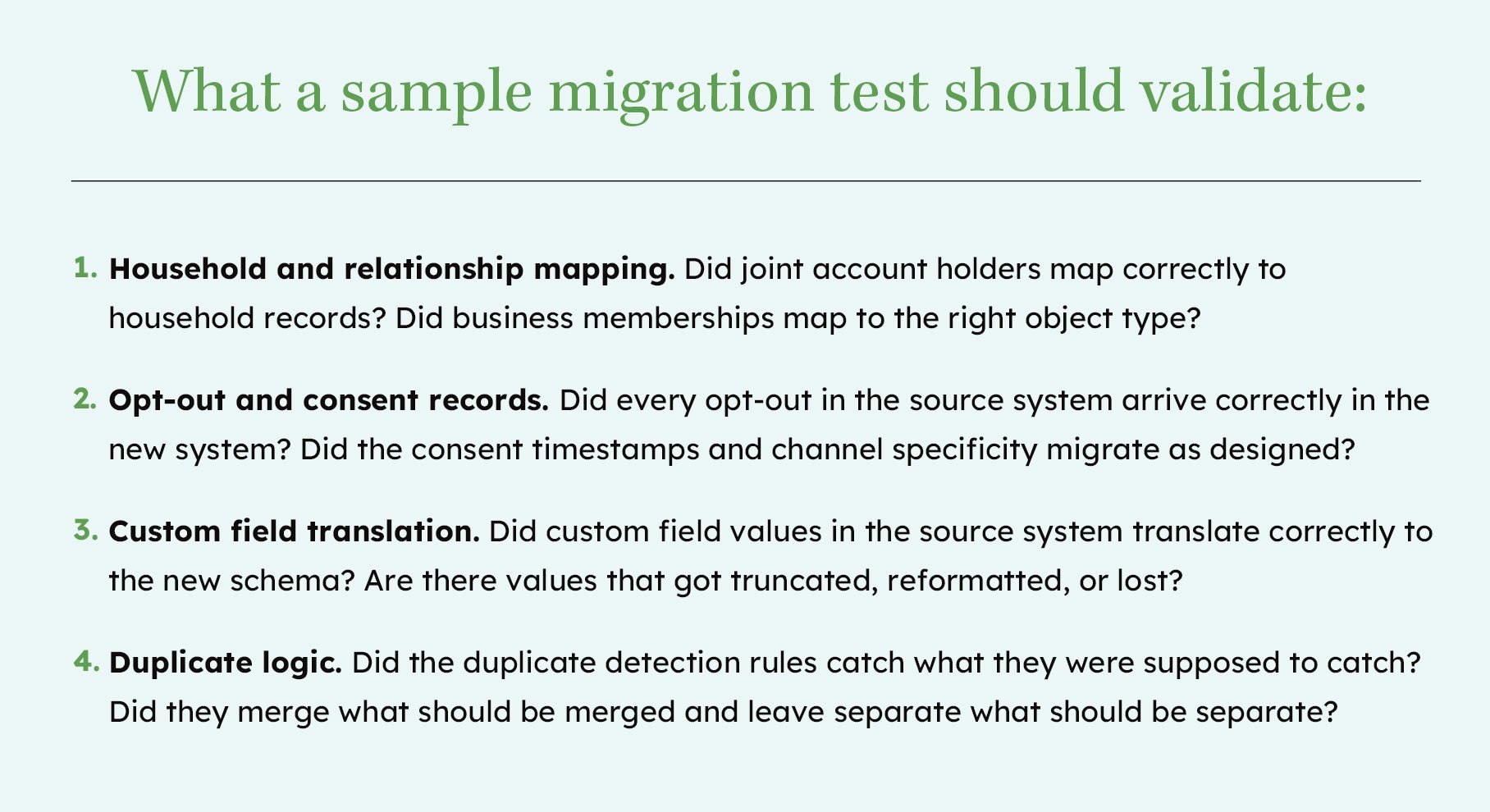
Define acceptance criteria before you run the test. Without pre-defined criteria, "did it work?" is a subjective question that different stakeholders will answer differently. Defined criteria, 100% of opt-out records migrated with correct timestamps; fewer than 0.5% of records flagged as unexpected duplicates, make success objective and auditable.
Must-Do #8: Define Success Metrics Before Go-Live, Not After
Agree on measurable success criteria before the CRM launches, not six months later when someone asks if it's working. Without pre-defined metrics, CRM implementations get evaluated on feelings, and they tend to get abandoned when feelings turn negative, regardless of actual performance.
This must-do is the one most likely to be treated as someone else's problem during the implementation phase. The technology team is focused on configuration. The migration team is focused on data. The go-live team is focused on training and launch. Defining success metrics feels like a post-launch conversation.
It isn't. Success metrics defined after go-live are reverse-engineered to match whatever the system happens to be doing, which means they don't measure whether the implementation achieved its goals.
What good CRM success metrics look like for credit unions:
Adoption rate by branch. What percentage of eligible staff are actively using the CRM at 30, 60, and 90 days post-launch? Low adoption in specific branches is an early warning signal that surfaces training gaps or design problems before they calcify.
Data completeness score. What percentage of member records have all required fields populated? This measures whether the data model is being used as designed.
Duplicate record rate. What percentage of new records created after go-live are flagged as duplicates? A rising duplicate rate indicates governance rules aren't being followed.
Marketing automation performance. Are automated workflows sending at the expected frequency? Are open and click rates at or above the benchmarks established during the workflow inventory?
Marketing-attributed loan applications or product enrollments. The downstream metric that ultimately justifies the investment: are CRM-driven campaigns producing measurable member action?
For each metric, define the measurement window before go-live: 30-day, 60-day, and 90-day checkpoints give you early warning signals before problems calcify into institutional habits.
These metrics don't require a sophisticated analytics infrastructure. They require agreement, before launch, on what you're measuring and what "good" looks like. That agreement is what turns a CRM from an IT project into a business outcome.
Must-Do #9: Choose a CRM Partner Who Specializes in Financial Services, Not Just the Platform
Platform expertise and financial services expertise are not the same thing. A partner who excels at CRM implementation for SaaS companies is not automatically equipped for credit union data models, compliance requirements, or core banking integrations. The questions below will tell you quickly whether a prospective partner has done this work before.
This is the must-do that determines whether the other eight get executed well.
There is no shortage of capable HubSpot implementation partners. There are significantly fewer who have designed a custom data model for a credit union, built a governance framework that satisfies NCUA examination requirements, or scoped a bidirectional integration with a Fiserv or Jack Henry core. Those are different skills from general CRM implementation expertise, and the gap between them shows up in the architecture decisions described throughout this checklist.
Questions to ask any prospective CRM implementation partner before engaging:
"Have you implemented CRM for a credit union or financial institution before?" A partner with genuine financial services experience will be able to describe specific decisions they made: how they structured member relationships, how they handled compliance scoping, and what core banking integrations they've built. General familiarity with the financial services industry is not the same as implementation experience in it.
"What does your pre-migration data audit process look like?" Partners who have done this work have a defined process. They'll describe what they look for, how they prioritize remediation, and how the audit output informs migration scoping. Partners who treat data audit as optional or post-launch will struggle to answer this concretely.
"How have you handled core banking system integrations?" Ask specifically about the platforms your institution uses. Ask about how they scoped sync direction, handled conflict resolution, and defined data ownership between the core and the CRM. Vague answers here are a significant red flag.
"Can you show me a governance framework you've produced for a financial institution?" A partner with real financial services implementation experience will have examples they can reference or share — not a template adapted from a retail or SaaS engagement. Ask to see the actual deliverable, not a description of the process.
"How do you sequence a rollout for an institution with multiple branches?" The answer should describe a pilot phase, a defined set of criteria for expanding to additional branches, and a process for incorporating learnings before full rollout. A partner who recommends launching everywhere at once hasn't accounted for the risk that creates.
GreenHouse Agency has earned HubSpot's CRM Implementation Accreditation, one of the clearest signals that a partner has been vetted for implementation quality, not just platform familiarity.
The right CRM partner for a credit union isn't necessarily the largest partner or the most decorated one. It's the partner who starts with the nine questions in this checklist and has answers for all of them.
What to Look for in CRM Implementation Services for Credit Unions
A CRM migration is not primarily a technology project. For credit unions, it is a data governance project, a compliance project, and a change management project, and the platform configuration is the last thing that happens, not the first.
The institutions that get this right, where member data is trusted, where branch staff use the system, where marketing automation produces measurable results, didn't get there by choosing the right platform. They got there by doing the pre-migration work that most institutions skip in the interest of getting started faster.
Auditing data before it moves. Defining member relationships before they're mapped. Scoping core banking integrations before configuration begins. Establishing governance and ownership rules before competing norms get established. Involving compliance before architecture decisions are made.
None of it is fast. All of it is cheaper than the alternative.
If you're evaluating CRM implementation services for your credit union, the right conversation doesn't start with a platform demo. It starts with these nine questions and with a partner who has built this process for institutions that look like yours.
GreenHouse Agency's CRM implementations for credit unions begin with a pre-migration assessment: we audit your data, map your core banking integration requirements, and surface governance decisions before a single configuration decision is made. If you want to see what that process looks like for your institution, the conversation starts with these nine items, not with a platform demo. Talk to GreenHouse Agency about your credit union's CRM migration to discuss the work before the work.
